
USB C Docking Station Dual Monitor Laptop Docking Station Triple Display USB C Hub Dual HDMI Adapter to 2 HDMI, VGA, 10Gpbs USB 3.1, USB 2.0, 100WPD, RJ45, Audio for Dell/Lenovo/Hp
Product details
| Management number | 230555083 | Release Date | 2026/06/18 | List Price | $15.00 | Model Number | 230555083 | ||
|---|---|---|---|---|---|---|---|---|---|
| Category | |||||||||
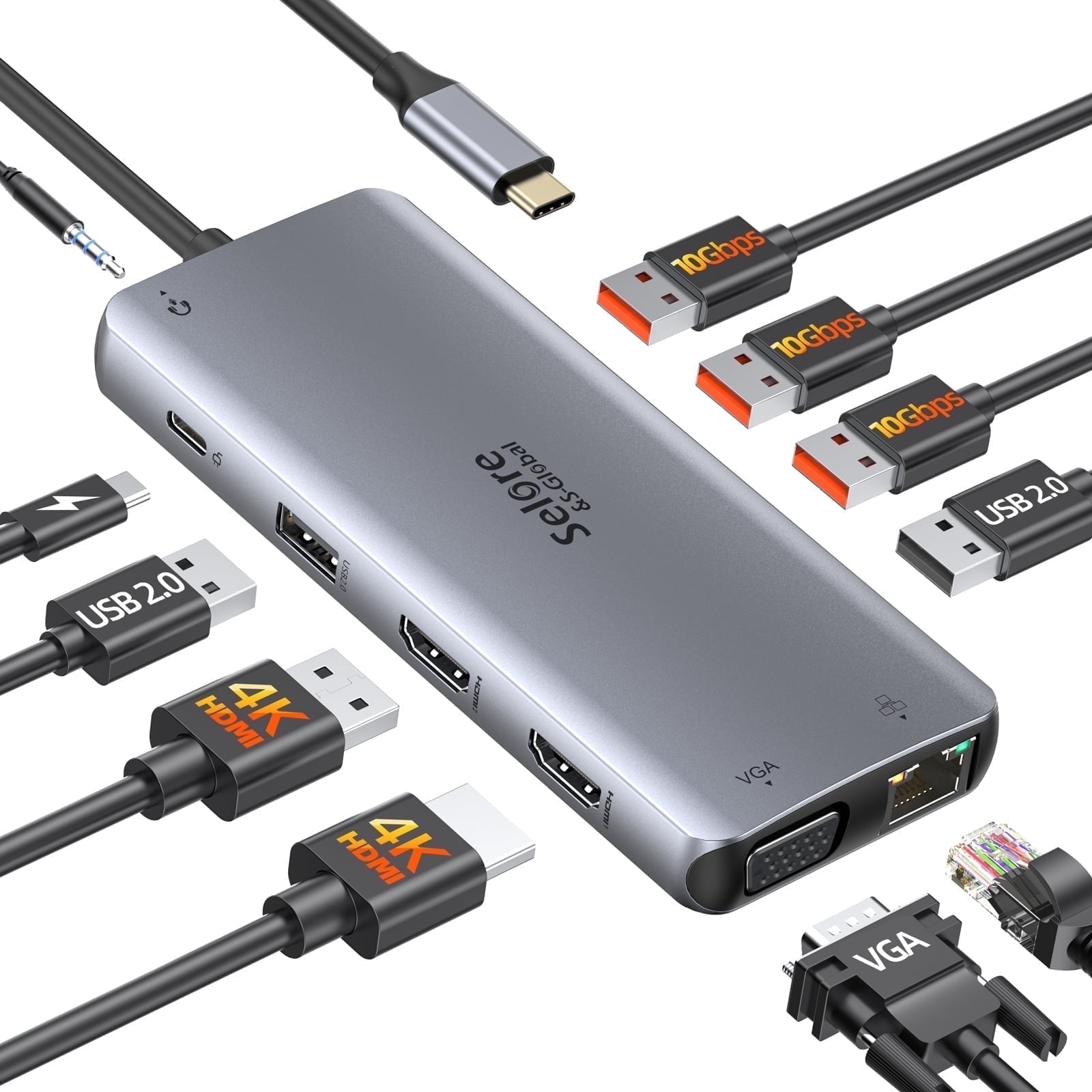
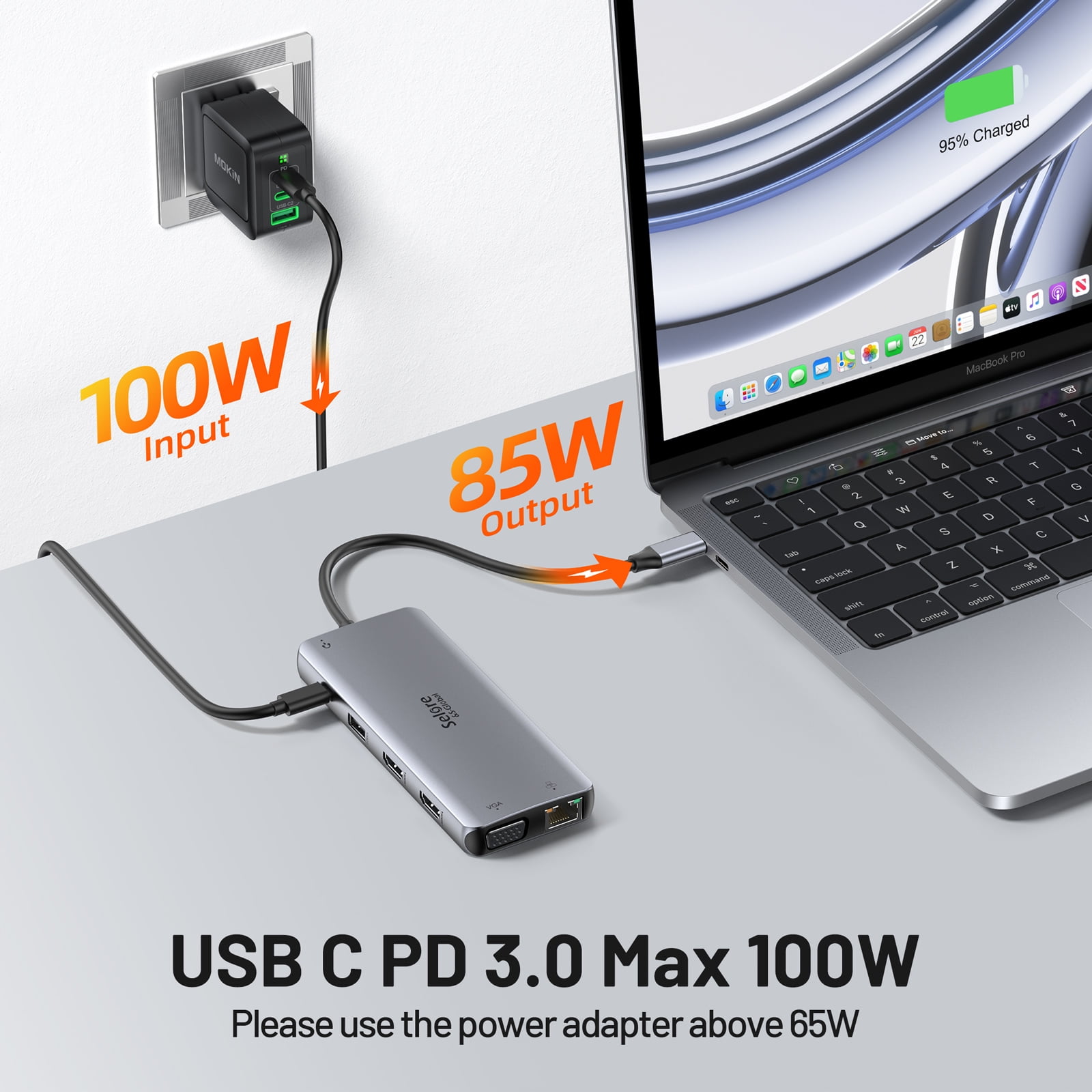
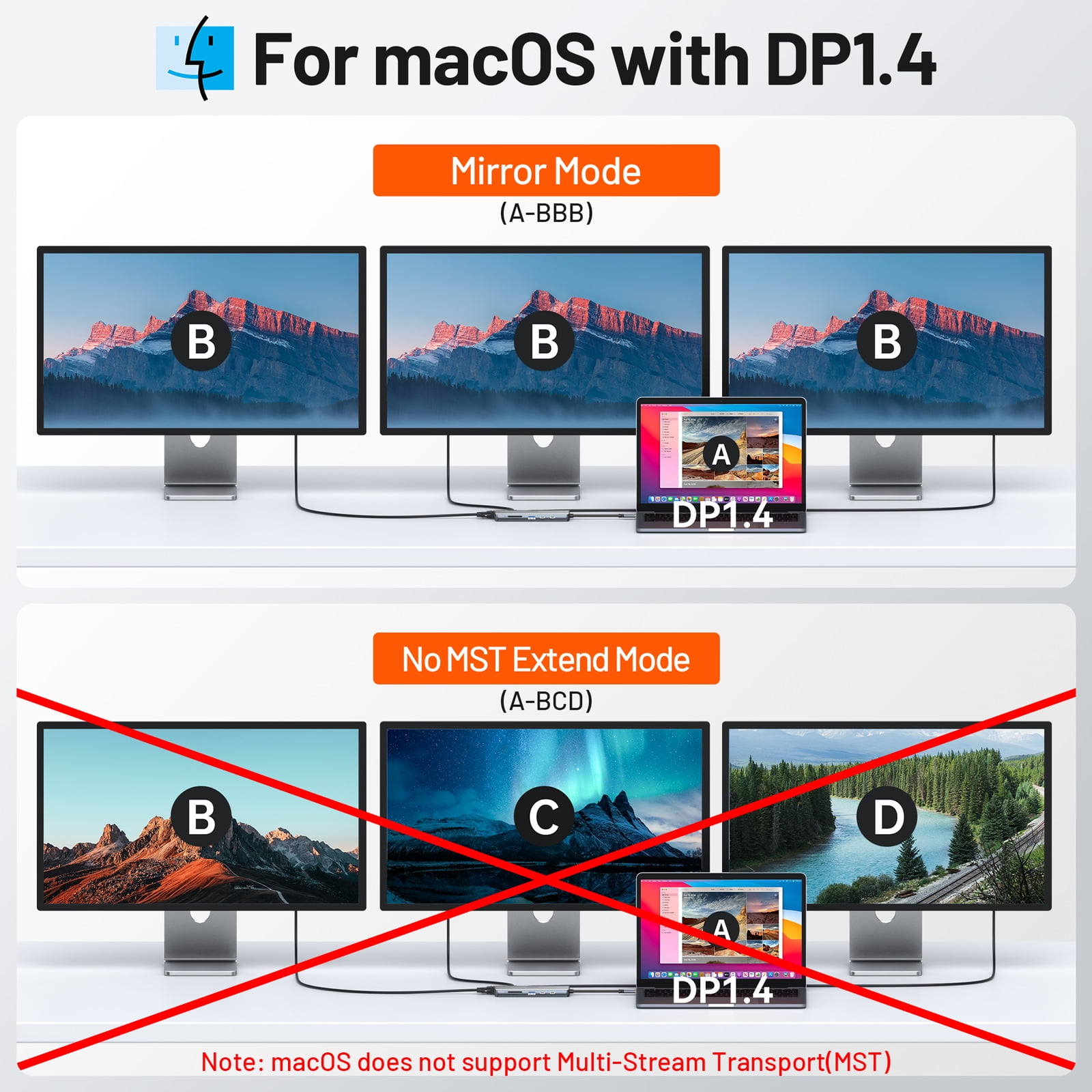
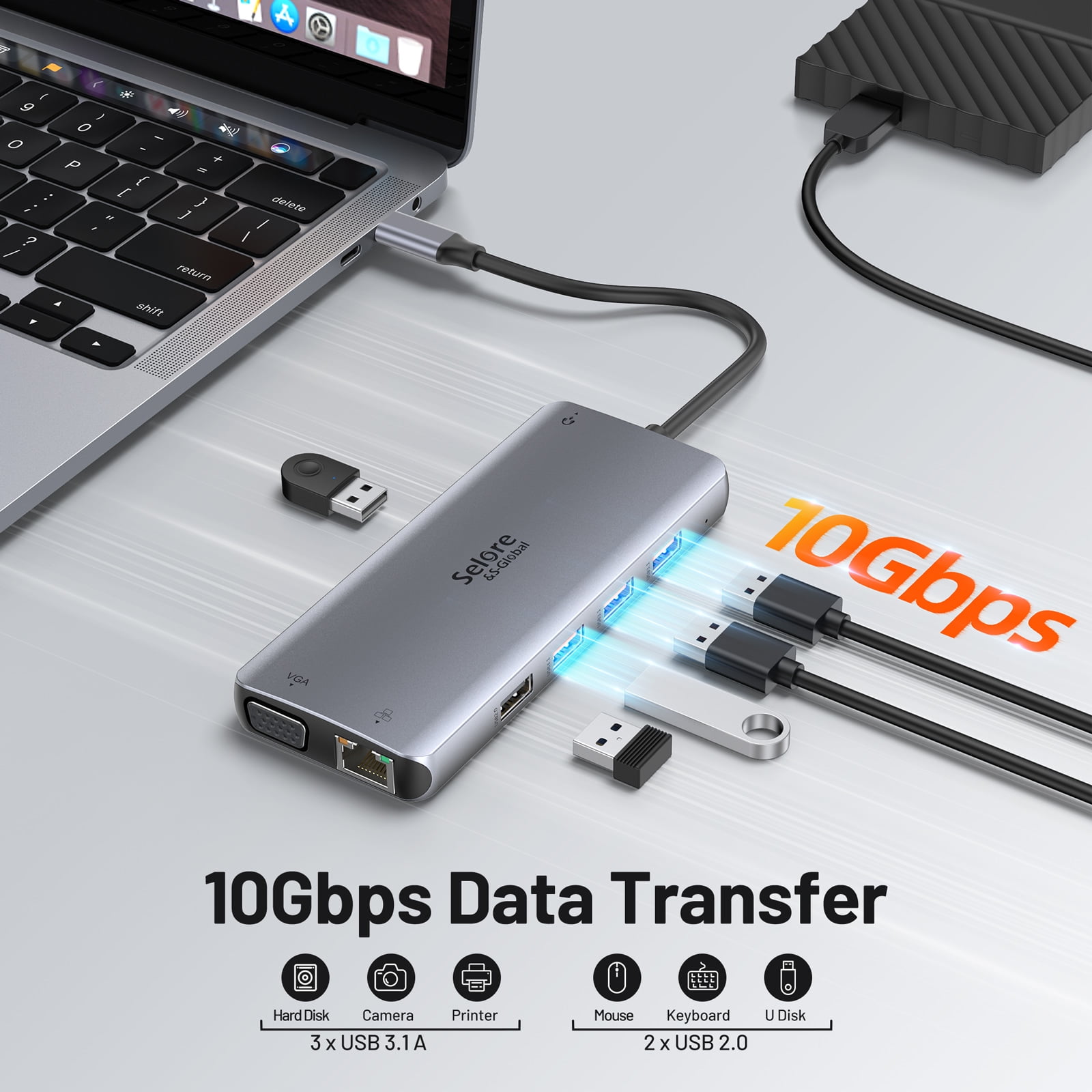
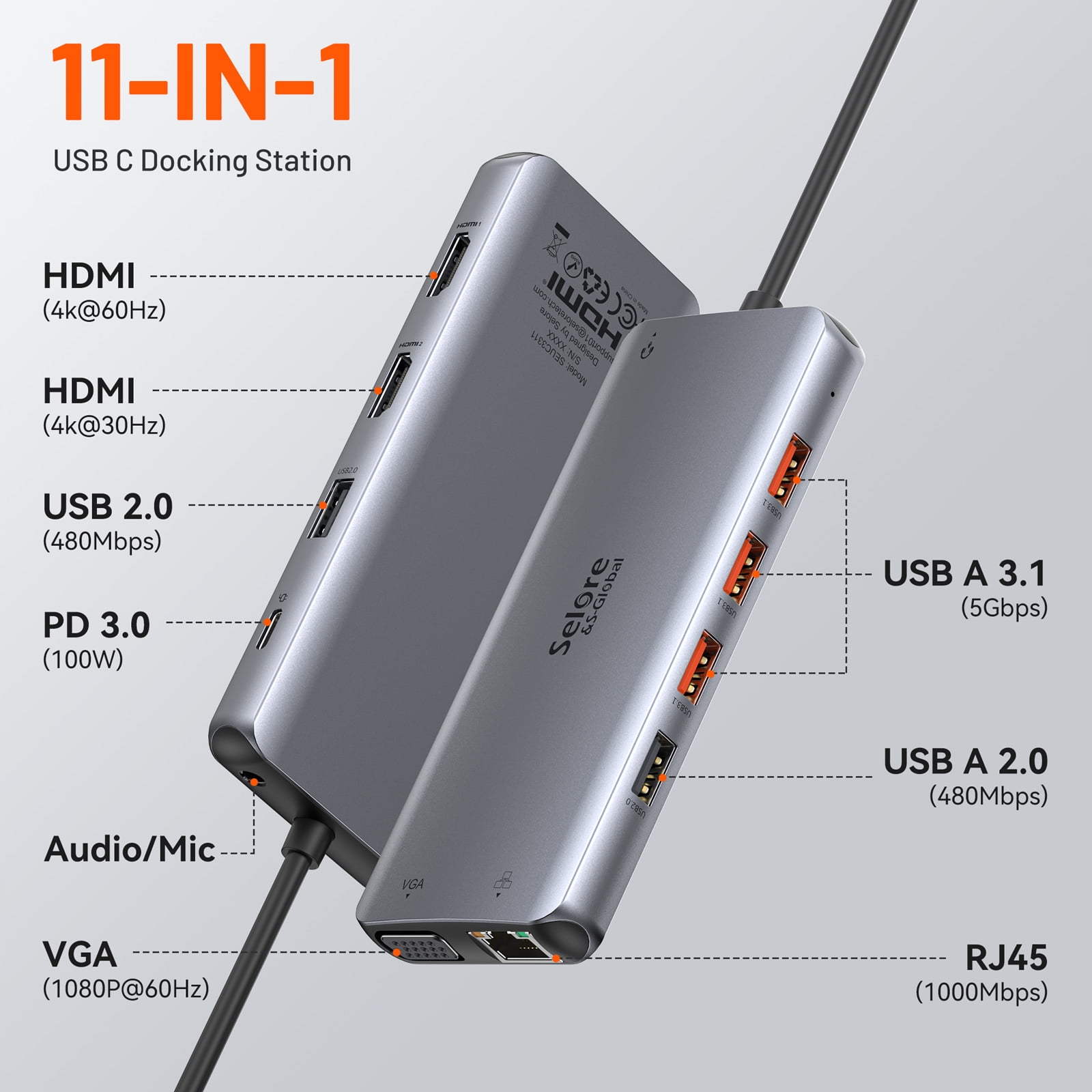
<h3> Selore Multiport USB C Docking Station Dual HDMI, 10Gbps USB </h3> 2 * HDMI ports: HDMI 1(4K@60Hz,DP1.4) ; HDMI 2(4K@30Hz,DP1.2)<br> 3 * USB 3.1 ports: Up to 10Gbps<br> 2 * USB 2.0 Ports: Up to 480Mbps<br> 1 * VGA port: Up to 1080P@60Hz<br> 1 * RJ45: 10M/100M/1000Mbps<br> 1 * PD 3.0: Up to 100W power delivery<br> 1 * Mic & Audio & 2 in 1 Jack: 3.5mm Jack <br> <br> Video Image and Resolution:<br> <br> Mirror Mode: AA, AAA, AAAA(MAX 1080P/60Hz)<br> Extend Mode(For Mac Os): AB, ABB, ABBB(MAX 1080P/60Hz)<br> Extend Mode(For Windows): AB, ABB, ABC, ABBB, AABC, ABCD(MAX 1080P/60Hz) <br> <br> Multi-Display Mode for MacBook:<br> <br> 1. Dual ultra-clear 4K display when expanding to two HDMI monitors.ONLY supports mirror mode, the image of the extended monitors is always the same. <br> 2. If you connect VGA, the resolution of all monitors is limited to 1920x1080 @ 60Hz (maximum). If you connect 3 monitors, it is possible that one of the monitor screen resolutions is lower than 1920x1080 @ 60Hz (depending on the monitor and bandwidth). <br> 3. For M1 Chip: <br> (1)MacBook M1 2020 can only be expanded to one monitor.<br> (2)MacBook Pro 2021 14" & 16" (M1 Pro/M1 Max) supports expansion mode.<br> <br> Multiple Display Mode for Windows:<br> <br> 1.When expanding to 2 expanded monitors, both resolutions are 1080P @ 60Hz. <br> 2.For 1920x1200 or 2560x1440 or other non-regular resolutions, it only works in single mode. If you expand to two monitors, it's 1080P @ 60Hz. <br> 3.For Intel Graphics, it can be expanded to a maximum of 3 monitors. If you need it, please click "Second screen only" to turn off the laptop screen after connecting it. <br> <br> Features<br> <br> 11 in 1 USB C Docking Station---This dual monitor docking station contains 2* 4K HDMI port,3*USB 3.1,2*USB 2.0,USB C PD Charging, VGA, 1000M Gigabit Ethernet RJ45 port,and Audio/Mic 2-in-1 port. All the ports of this docking station can be in use simultaneously, allowing you easily connect the keyboard, mouse, USB driver,external Disk to your laptop. Efficiently meet all your working and entertaining needs.<br> Triple Display Docking Station---USB C Dual HDMI Adapter supports mirror mode (SST)and extends mode (MST).In Mirror Mode, all the monitor images will be the same.In Extend Mode, the images of the monitor are different. Single HDMI 1 Output: 4K@60Hz(While the source is DP1.4).Dual HDMI Output: 4K@30Hz. Dual HDMI & VGA Output: 1080P/60Hz. (NOTE: All external monitor images are same on MacOS due to OS system limit. ONLY Windows systems can display different images on extended monitor)<br> Fast Data Transfer Speed---3 USB 3.1 support works at the same time, backwards compatible with USB 3.0 / 2.0. 2 USB 2.0 ports are more suitable for mice, keyboards or other slow device to improve work efficiency and avoid radio signal interference.The docking station supports Power Delivery, thunderbolt 3.0 technology with a rated power of 87W and offers significantly faster charging times. 1000M Gigabit Ethernet RJ45 port can download movies quicker, reduce latency in games.<br> Gigabit Ethernet&Audio Jack---Dell Docking Station Dual Monitor Adapter provides a stable wire ethernet condition and make your work more effective. Speed up to 1000Mbs. Plug and play, no need to install any driver or software. And 3.5mm audio/mic port ensures a simple headphone connection for your awesome musical experience.<br> Docking Station Strong Compatibility---Dual HDMI USB C docking station is convenient to connect to HDTV, monitor, and projector. This Selore usb c hub dual hdmi is widely applicable to laptops with Windows and Mac OS systems, like Macbook Pro/Air 2021-2016, Dell xps, HP, Lenovo ThinkPad, Surface Go/Pro 7/Book 2 etc.<br> <br> FAQ<br> Q1. Why is there no video output?<br> 1. Pls make sure your USB-C source devices support video output, if the type of the built-in USB C port of your laptop isn't the Fully Funcitonal port, then the HDMI,VGA, 3.5mm Jack of the hub doen't work for your laptop.<br> 2. Pls check the connection is good<br> 3. Pls use standard HDMI cable<br> <br> Q2. Sometimes WiFi stopped working while hard disk connected to hub, how to do?<br> A:2.4G network is easily disturbed. You can switch to 5G network. Or you can adjust the placement of the hard disk, move to suitable place.<br> <br> Q3. Win10 system, if one of display does not display, how to do?<br> A: Right click desktop > Graphics Settings > Select One or More Active Displays<br> <br> Q4. If USB driver cannot be identified, how to do?<br> 1. Please confirm your laptop's USB Type C port supports 'DisplayPort Alt Mode' and 'Power Delivery'. 2. Make sure you have downloaded/updated the DisplayLink driver to the latest version.<br> 3. Note: If you use the USB C female to USB A male adapter to connect the docking station to laptop or if your laptop has a USB C 3.1 Gen 1 port, the HDMI 1 port will not work.<br>
- 11 in 1 USB C Docking Station---This dual monitor docking station contains 2* 4K HDMI port,3*USB 3.1,2*USB 2.0,USB C PD Charging, VGA, 1000M Gigabit Ethernet RJ45 port,and Audio/Mic 2-in-1 port. All the ports of this docking station can be in use simultaneously, allowing you easily connect the keyboard, mouse, USB driver,external Disk to your laptop. Efficiently meet all your working and entertaining needs.
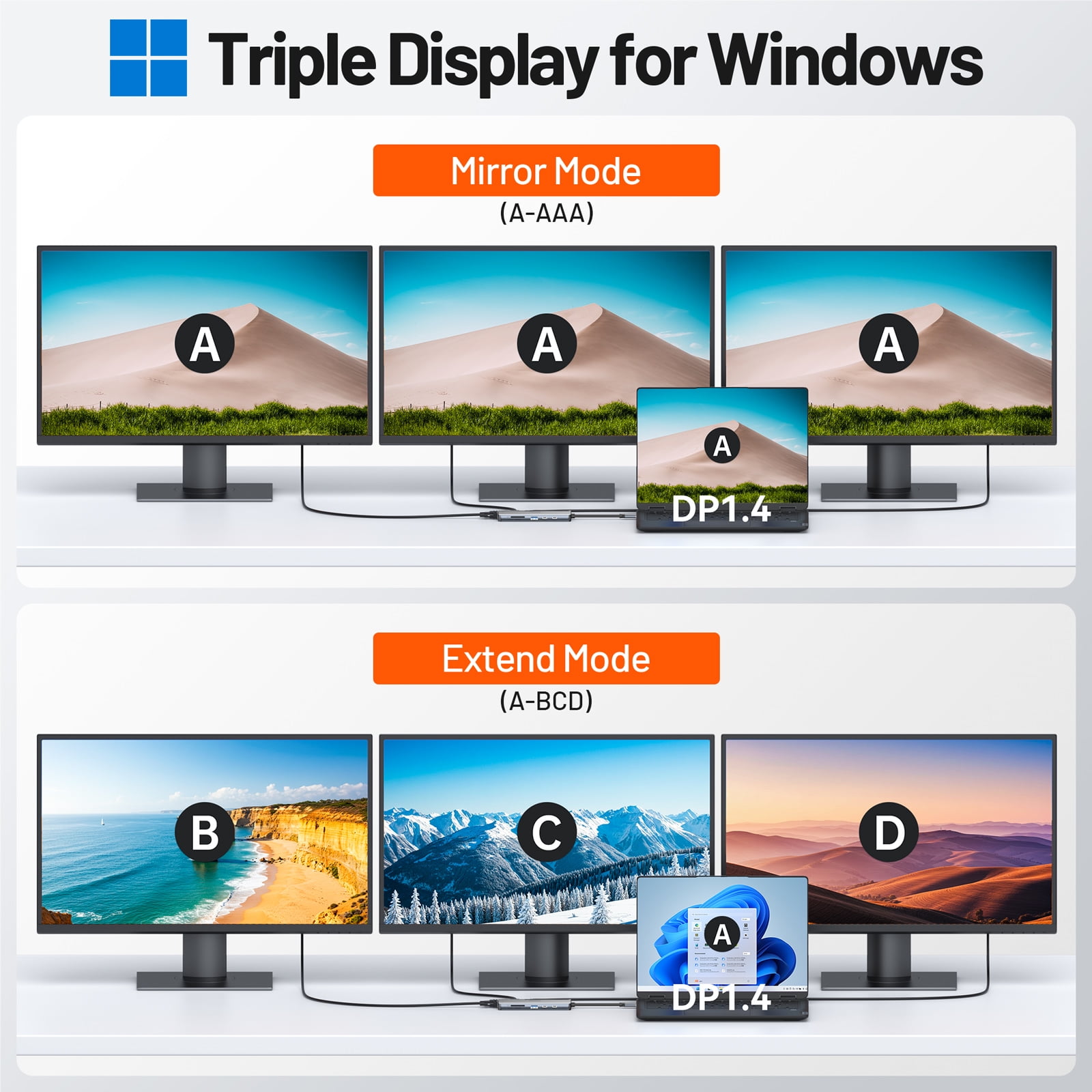
- Triple Display Docking Station---USB C Dual HDMI Adapter supports mirror mode (SST)and extends mode (MST).In Mirror Mode, all the monitor images will be the same.In Extend Mode, the images of the monitor are different. Single HDMI 1 Output: 4K@60Hz(While the source is DP1.4).Dual HDMI Output: 4K@30Hz.Dual HDMI & VGA Output: 1080P/60Hz. (NOTE: All external monitor images are same on MacOS due to OS system limit. ONLY Windows systems can display different images on extended monitor)
- Fast Data Transfer Speed---3 USB 3.1 support works at the same time, backwards compatible with USB 3.0 / 2.0. 2 USB 2.0 ports are more suitable for mice, keyboards or other slow device to improve work efficiency and avoid radio signal interference.The docking station supports Power Delivery, thunderbolt 3.0 technology with a rated power of 87W and offers significantly faster charging times. 1000M Gigabit Ethernet RJ45 port can download movies quicker, reduce latency in games.
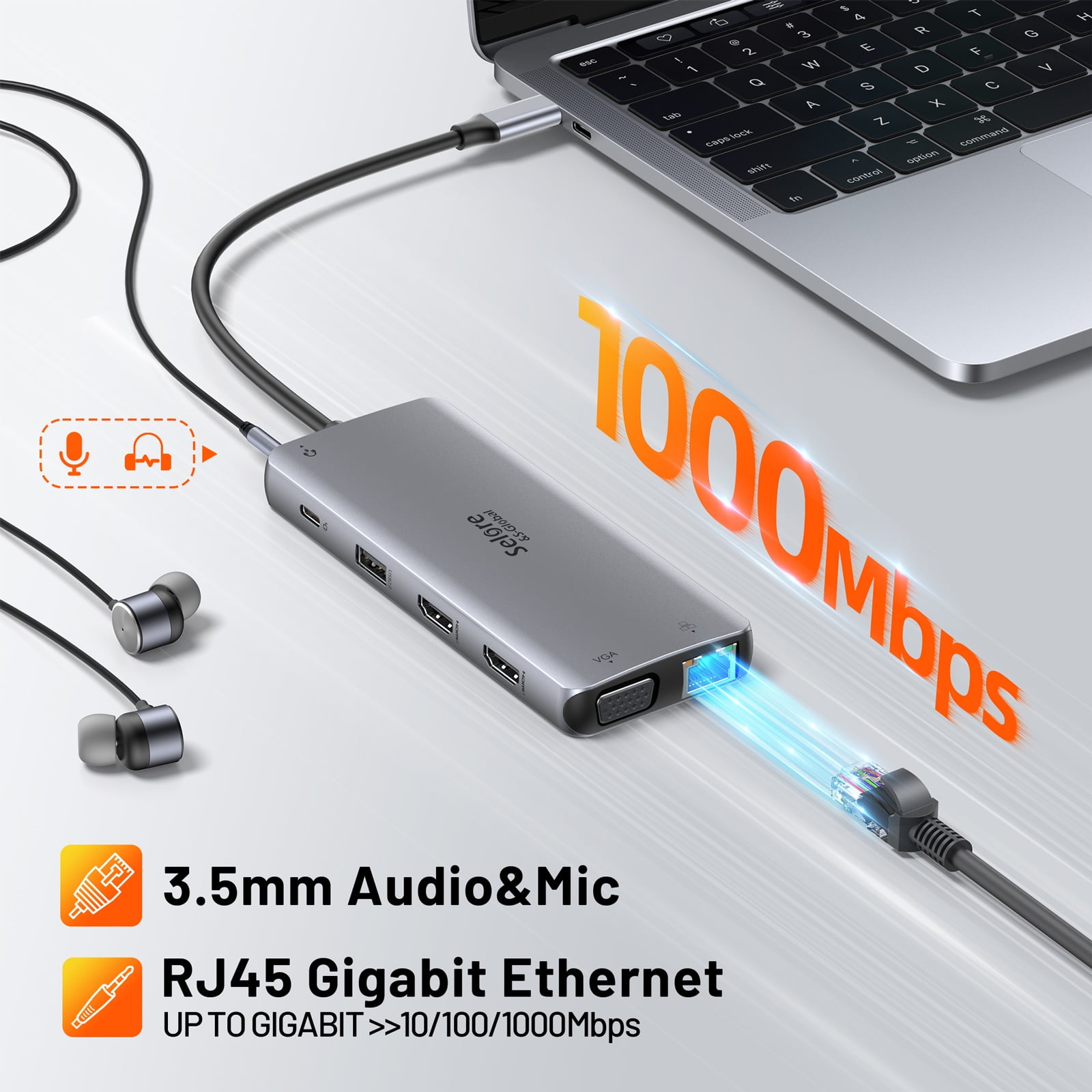
- Gigabit Ethernet&Audio Jack---Dell Docking Station Dual Monitor Adapter provides a stable wire ethernet condition and make your work more effective. Speed up to 1000Mbs. Plug and play, no need to install any driver or software. And 3.5mm audio/mic port ensures a simple headphone connection for your awesome musical experience.
- Docking Station Strong Compatibility---Dual HDMI USB C docking station is convenient to connect to HDTV, monitor, and projector. This Selore usb c hub dual hdmi is widely applicable to laptops with Windows and Mac OS systems, like Macbook Pro/Air 2021-2016, Dell xps, HP, Lenovo ThinkPad, Surface Go/Pro 7/Book 2 etc.
| Maximum number of monitors | 3 |
|---|---|
| Resolution | 4K@60Hz |
| In/Out type | HDMI |
| Usb version | USB 3.1,2*USB 2.0 |
| Input/output quantity | 11 |
| Compatibility | MacBook Pro, Monitors, Laptops |
| Inputs/Outputs | USB 3.1 Type A, DisplayPort, USB 3.1 Type C, Ethernet, HDMI, 3.5mm Audio, USB 3.0 |
| Brand | Selore |
| Size | 5.91" x 3.94" x 1.18" |
Bestseller ranking
General


Customers who viewed this product also viewed
Computers


Correction of product information
If you notice any omissions or errors in the product information on this page, please use the correction request form below.
Correction Request Form